Thunder Laser Rotary Axis
If you want to work on round items such as tumbler, mug and bamboo pipe by fabric laser cutter, the common laser working cannot meet your needs. As the common laser machine can only process on plane materials, if you cut or engrave on the round items directly, the size of the laser dot would change as the radian of the round item which leads the different processing result on different parts of object. So, is there any tips to solve this problem? The rotary axis attachment of Thunder Laser desktop laser engraver is designed for helping you to solve this problem.
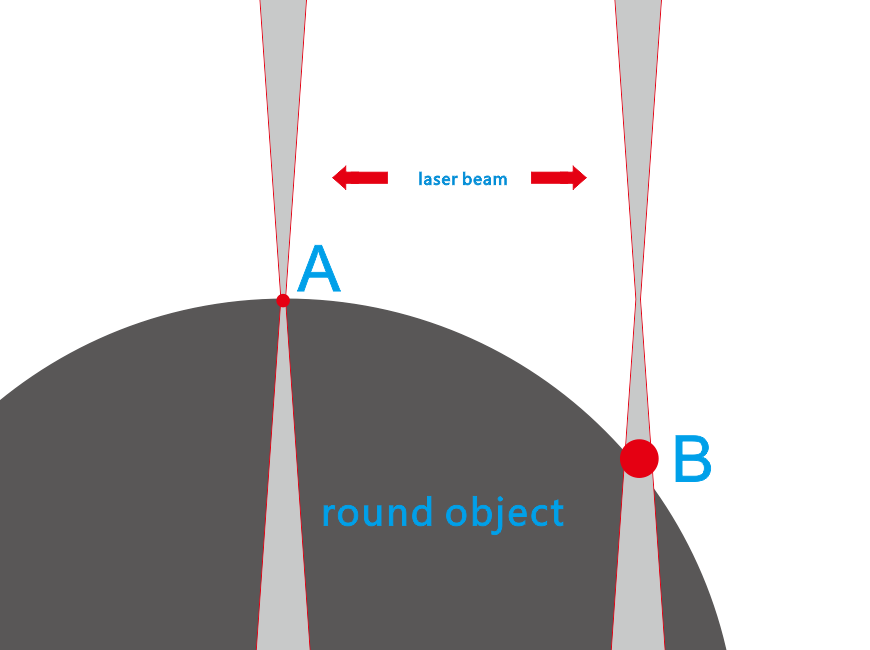
As you can see from the picture, point A of laser beam is very small, while point B is much bigger size. When laser beam moving from point A to point B on co2 laser cutting machine, the size is getting bigger which make the processing result too bad so that it can’t be adopted.
The operating principle of Thunder Rotary Axis:
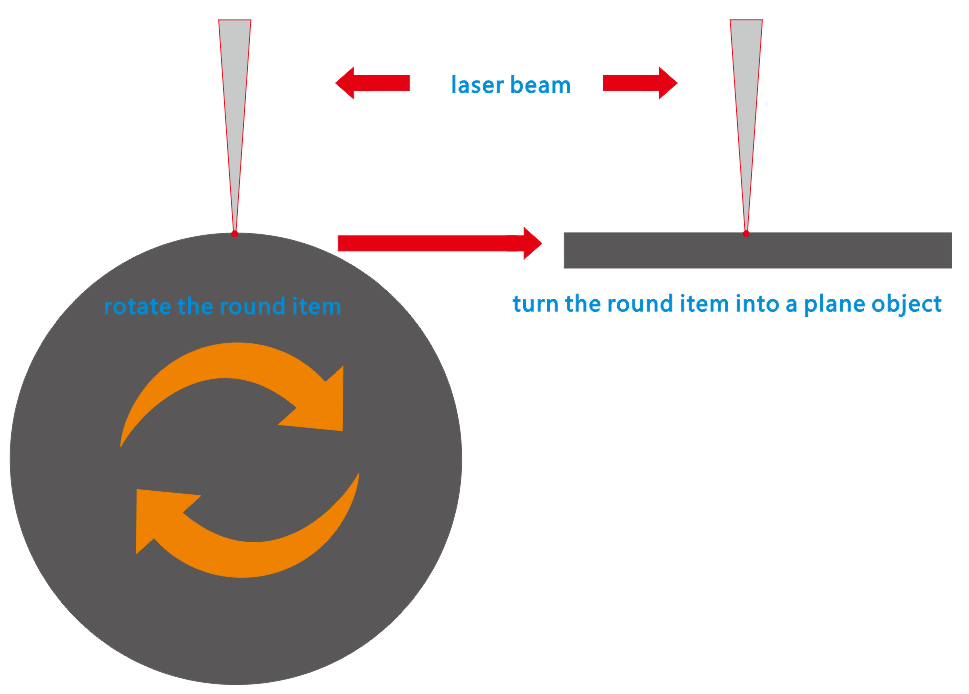
The operating principle of rotary axis is to fix a round items on the rotary axis and cancel Y axis moving, then the rotary axis would drive the round item rotating to be a plane (comparing to the X axis).With the rotary axis working, you can not only use your laser machine to engrave on the round items, but also to cut. As the rotary axis height is high, it must be used on up and down table laser paper cutter machine.
.A Thunder rotary attachment is a great help when you need to engrave cylindrical items like glass, mugs, cups etc. And it is also very simple to install the rotary attachment to your thunder laser cutter.
.Just place the rotary attachment on the work table and install the cylindrical item to the rotary attachment and move the laser head to the suitable place and adjust the focus distance.
.Then connect to the socket in the right side of the table and then press the switch to change the axis from Y to rotary axis. Now you can control the rotary attachment through the control panel.
.And you can press the button again to switch the control from rotary axis to Y axis freely.
.When the job is done, please take out the item carefully.
Now contact us to know more about the Thunder Laser!